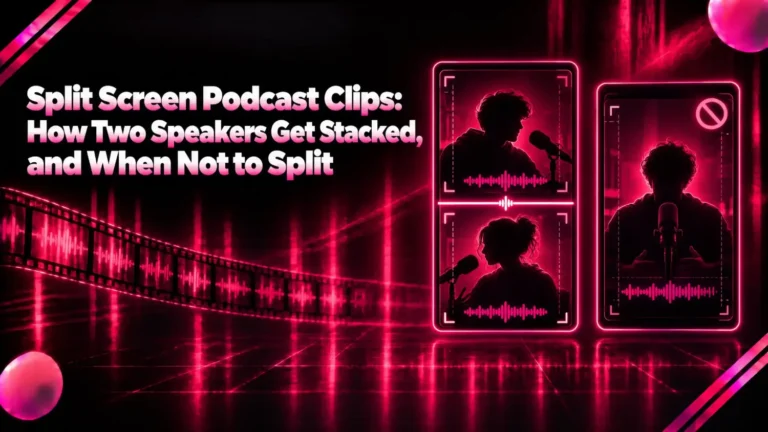
Make Money Clipping Videos: 4 Ways Clippers Get Paid and the Rules That Void Payouts
How to make money clipping videos through paid campaigns like Whop Content Rewards, YouTube and TikTok payouts, clipping services or your own content, with the rules that void payouts and a workflow for clipping at volume with Klyply.
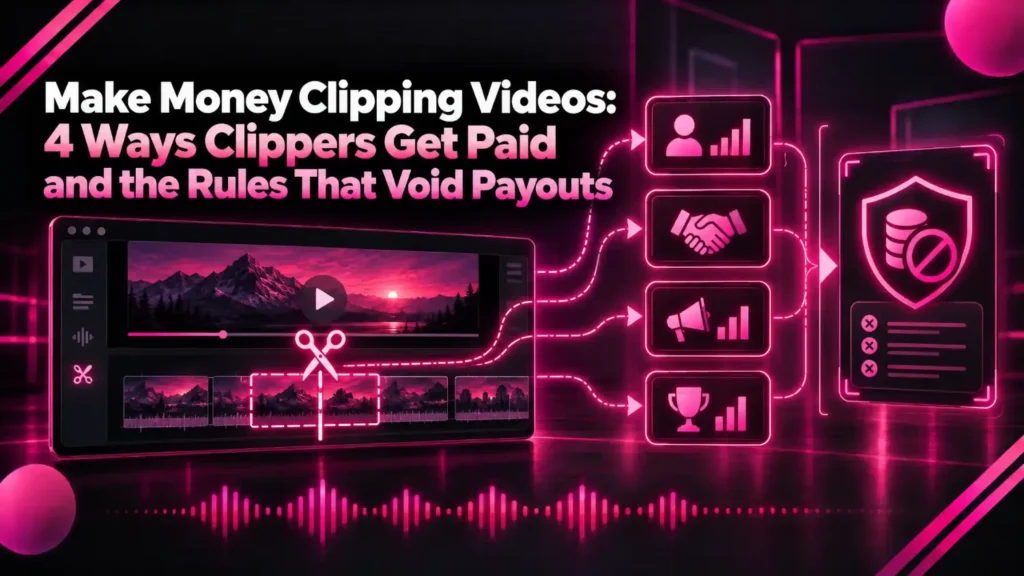
To make money clipping videos, you cut short, vertical clips from long streams, podcasts or videos and get paid for the views they earn, by a brand, a creator or the platform itself.
Clipping has become a real side income because creators and brands now pay for reach. The catch is that most guides list payout rates and skip the rules that decide whether you get paid at all.
This guide covers the four ways clippers earn, what each one actually pays according to the platforms’ own pages, the copyright and originality rules that void payouts, and a workflow for making clips at volume.
The short answer: the fastest way to make money clipping videos is a paid campaign such as Whop’s Content Rewards, where a creator gives you permission and pays per 1,000 views. Platform payouts from YouTube and TikTok come later, once your own channel qualifies.
Volume is what turns cents per thousand views into income, and that is where a clipper with no per-minute credits, such as Klyply, pays for itself.
Key takeaways
- Clippers earn four ways: paid campaigns, platform payouts on their own channels, clipping as a service for creators, and clipping their own long videos.
- On Whop’s Content Rewards, the brand sets a rate per 1,000 views and approves each post before it pays.
- YouTube does not share Shorts revenue on reuploaded content or compilations with nothing original added.
- TikTok’s Creator Rewards Program needs 10,000 followers, 100,000 views in 30 days and videos of at least one minute.
- Klyply turns each source video into 1 to 20 captioned clips with no credits or per-minute charges, which suits clipping at volume.
What is clipping, and why do people pay for it?
Clipping is turning long-form content, such as a podcast, livestream or webinar, into short clips posted on TikTok, YouTube Shorts, Instagram Reels or X.
Creators pay for it because each clip is another way for new viewers to find them. A podcast host with one weekly episode cannot post twenty Shorts a week alone, but twenty clippers posting to their own accounts can.
Whop’s Content Rewards documentation describes clipping campaigns in exactly those terms: creators turn a brand’s existing long-form content into short clips, and the brand pays for the views.
4 ways to make money clipping videos
The four ways to make money clipping videos are paid clipping campaigns, platform monetisation of your own clip channel, clipping as a paid service for creators, and clipping your own long videos to grow what you sell.
| Way | Who pays | How you are paid | Needs followers first |
|---|---|---|---|
| Paid clipping campaigns | The creator or brand | A rate per 1,000 views, after approval | No |
| Platform payouts | YouTube, TikTok | A share of ad revenue or rewards | Yes |
| Clipping as a service | A creator who hires you | Per clip or a monthly fee you agree | No |
| Clipping your own content | Your own customers | Sales, sponsors or long-form revenue | No |
1. Paid clipping campaigns
A paid clipping campaign is an offer from a creator or brand to pay any clipper a set amount per 1,000 views on approved clips of their content.
Whop’s Content Rewards is a marketplace built for this. The brand sets the reward per 1,000 views, and can add a minimum payout, a maximum payout per video and a flat bonus per approved submission.
Whop’s documentation gives a worked example: with a $3 rate and a $6 minimum payout, only videos with at least 2,000 views reach the brand’s review queue.
Rates vary by campaign. Whop’s own post on Whop Clips listed YouTube clips at $1.25 per 1,000 views, and noted that budgets and payouts change.
Campaigns are the easiest way to make money clipping videos as a beginner, because you are paid on each clip’s views, not on the size of your account. The permission question is also answered for you: the owner is asking to be clipped.
2. Platform payouts on your own clip channel
Platform payouts are the second way to make money clipping videos: they pay you a share of revenue once your own channel meets the platform’s thresholds, and only on content that counts as original.
On YouTube, a channel joins the Partner Program through Shorts with 1,000 subscribers and 10 million qualified Shorts views in the last 90 days, according to YouTube’s Partner Program eligibility page.
YouTube’s Shorts monetisation policies explain the pay: ad revenue from the Shorts Feed is pooled each month, shared by each creator’s share of engaged views, and creators keep 45% of their allocation.
On TikTok, the Creator Rewards Program terms require you to be 18 or older with 10,000 authentic followers and 100,000 authentic views in the last 30 days. Only videos of at least one minute qualify, and rewards are paid once they reach $50.
That one-minute rule matters for clippers. Many clips run under a minute, so a TikTok clip channel aiming for rewards has to cut longer moments.
3. Clipping as a service for creators
Clipping as a service means a creator hires you directly to turn their long videos into clips, paid per clip or by a monthly retainer you agree between you.
This is the most stable way to make money clipping videos, because the income does not depend on any single clip going viral. It is also the one where the quality of your picks and captions matters most, since the creator watches every clip.
A good way in is to clip a few moments from a creator’s latest episode, with their permission, and send them as a sample. Put the terms in writing: how many clips a week, which platforms, who posts them, and who owns the accounts.
4. Clipping your own long videos
Clipping your own long videos is a way to make money clipping videos indirectly, by sending new viewers to the long-form content, products or services you already sell.
There are no rights questions and no approval queue. For a coach, consultant or podcaster, a steady flow of clips is often worth more in sales than any per-view payout would be.
Our guide to turning a YouTube video to Shorts walks through the methods for your own channel.
How much can you make clipping videos?
What you make clipping videos is the views your clips earn multiplied by the rate per 1,000 views, so income grows with volume, not with any single clip.
At the $1.25 per 1,000 views Whop listed for YouTube clips, 100,000 approved views earn $125, and a million earn $1,250. At $3 per 1,000, the same million views earn $3,000.
Those are arithmetic, not promises. Most clips earn very few views, and campaigns end when their budget runs out, so plan on many clips for each one that performs.
| Approved views | At $1.25 per 1,000 | At $3 per 1,000 |
|---|---|---|
| 10,000 | $12.50 | $30 |
| 100,000 | $125 | $300 |
| 1,000,000 | $1,250 | $3,000 |
Rules that decide whether you make money clipping videos
Three rules decide whether you make money clipping videos: copyright, originality and fake engagement, and each platform enforces them in its own terms.
You need permission to clip someone else
You need the copyright owner’s permission to clip their content, and crediting them is not the same thing.
YouTube’s page on common copyright myths says giving credit does not give you the rights, and that even a few seconds used without permission can cause copyright issues. Campaigns solve this, because the owner asks for the clips.
Reuploads and bare compilations earn nothing on YouTube
YouTube does not share revenue on non-original Shorts, such as unedited clips from films or TV, reuploads of other creators’ content, or compilations with no original content added.
For a clip channel, that means each clip needs your own work in it: a tight edit, captions, a hook title, framing. A straight cut of someone else’s video is exactly what the policy excludes.
Bought or botted views void the payout
Bought or automated views void payouts on every platform in this guide.
YouTube excludes artificial views from bots, TikTok excludes metrics that are paid, incentivised or artificially produced, and Whop’s brands review each submission before paying. A flagged account can lose far more than one clip’s earnings.
How to start clipping for money, step by step
To make money clipping videos from scratch, pick one campaign or creator, set up accounts for the platforms they pay on, and post a steady batch of clips you can track.
- Choose a campaign you understand. Clip topics you would watch, since you will be listening for the best moments.
- Read the brief closely. Note the allowed platforms, required tags or mentions, length limits and the minimum payout.
- Download the source files the campaign provides. Original files give sharper clips than a re-download.
- Cut several clips per source video. Each needs a standalone first line, one complete idea and burned-in captions.
- Post, then submit each post’s link. Keep a sheet of links, views and approval status.
- Double down on what works. Look at which openings and lengths earn views, and cut more like them.
Clips still need to read well on a phone. Our guide to vertical video safe zones shows where captions and hooks stay visible on each app.
What tools do you need to make money clipping videos?
To make money clipping videos you need a way to find moments fast, reframe them to 9:16, add captions, and export in bulk.
The cost structure of that tool matters more when you make money clipping videos, because clippers process hours of footage for cents per thousand views. A clipper that charges by the minute takes a cut of every source video before you earn anything.
OpusClip, for example, charges one credit per minute of video imported, according to its credits help article. A two-hour stream costs 120 credits whether it produces one good clip or ten.
Klyply: unlimited clips for clippers on Windows
Klyply is a Windows clipper that turns each source video into 1 to 20 captioned vertical clips on your own PC, with no credits and no limit on video length or the number of videos.
It transcribes the video, builds candidate clips from whole sentences, and scores them on the opening line, language, vocal energy, pace and whether the thought is complete. The best become MP4 clips with a hook title and one of 27 caption styles.
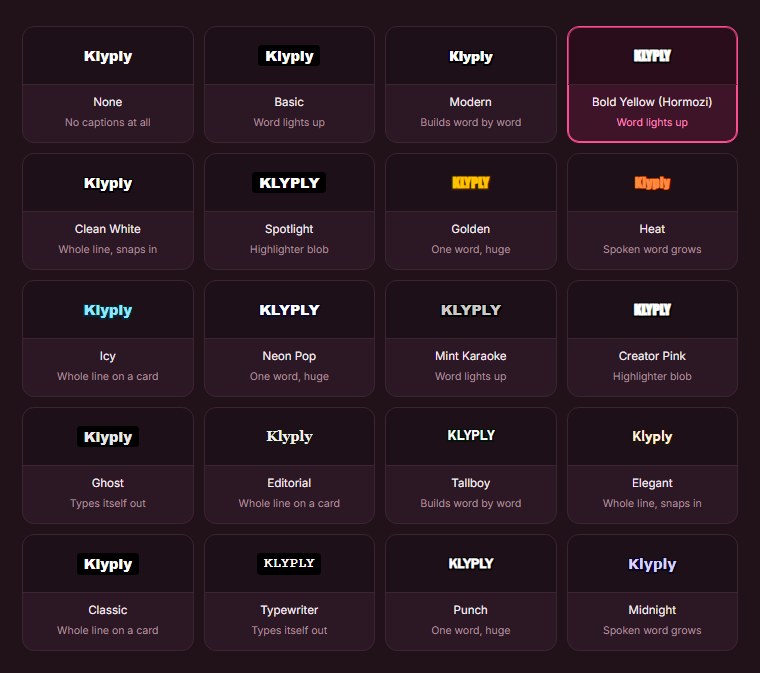
It opens the source files a campaign provides straight from your drive, or a YouTube, Vimeo, X or Twitch link. Follow the speaker framing keeps the person talking in the crop, and Split stacks two people for podcast clips.
Klyply costs $29 for three months or $179 once for a Lifetime licence, and every plan includes unlimited clips. It runs on Windows 10 and 11 only, has no free plan and does not post for you.
If you want to compare what one-time and subscription clippers cost over a year of volume, see our guide to clipping software you buy once.
Common mistakes new clippers make
The most common mistake people make when they try to make money clipping videos is posting a handful of clips, seeing few views, and quitting before volume has a chance to work.
- Clipping without permission. It risks copyright strikes and pays nothing on YouTube.
- Ignoring the brief. A missing tag or the wrong platform gets a clip rejected after the work is done.
- Weak openings. A clip that starts mid-thought loses viewers in the first second.
- Captions under the buttons. Text behind the app’s interface is text nobody reads.
- Paying per minute for source footage. Credits eat the margin on long streams.
- Buying views. It voids payouts and can cost you the account.
Make money clipping videos: FAQs
Can you really make money clipping videos?
Yes, you can make money clipping videos through paid campaigns, clipping services and platform payouts, but income depends on volume and on clips actually earning views.
Do you need followers to make money clipping videos?
No, paid campaigns pay on each clip’s views rather than your follower count. Platform programmes are different: TikTok’s needs 10,000 followers and YouTube’s needs 1,000 subscribers.
How much do clipping campaigns pay per 1,000 views?
Each brand sets its own rate. Whop’s Whop Clips post listed $1.25 per 1,000 views on YouTube, and Whop’s documentation uses $3 per 1,000 as its example.
Is clipping someone else’s content legal?
Only with the copyright owner’s permission. A clipping campaign is that permission, which is why campaigns are the safest place to start.
Do TikTok clips under a minute earn Creator Rewards?
No, TikTok’s Creator Rewards Program only counts videos of at least one minute.
Is Klyply good for clipping campaigns?
Klyply suits people who make money clipping videos on Windows and process a lot of footage, because it makes 1 to 20 clips per video with no credits or per-minute charges. It does not post or submit clips for you.
Final thoughts
You can make money clipping videos, but it pays for volume and for following the rules, not for any single lucky clip.
If you are starting from zero, join a paid campaign: permission is built in and you need no followers. If you have a following, build a clip channel that meets YouTube’s or TikTok’s thresholds with clips that are clearly your own work.
If you have editing skills and patience, clipping for creators on a retainer is the steadiest income of the four.
Whichever way you make money clipping videos, keep your cost per clip near zero. On Windows, Klyply does that with unlimited clips for one payment, rendered on your own PC.